
Get Live Santorini Transfer Prices: Check Your Route & Book Online
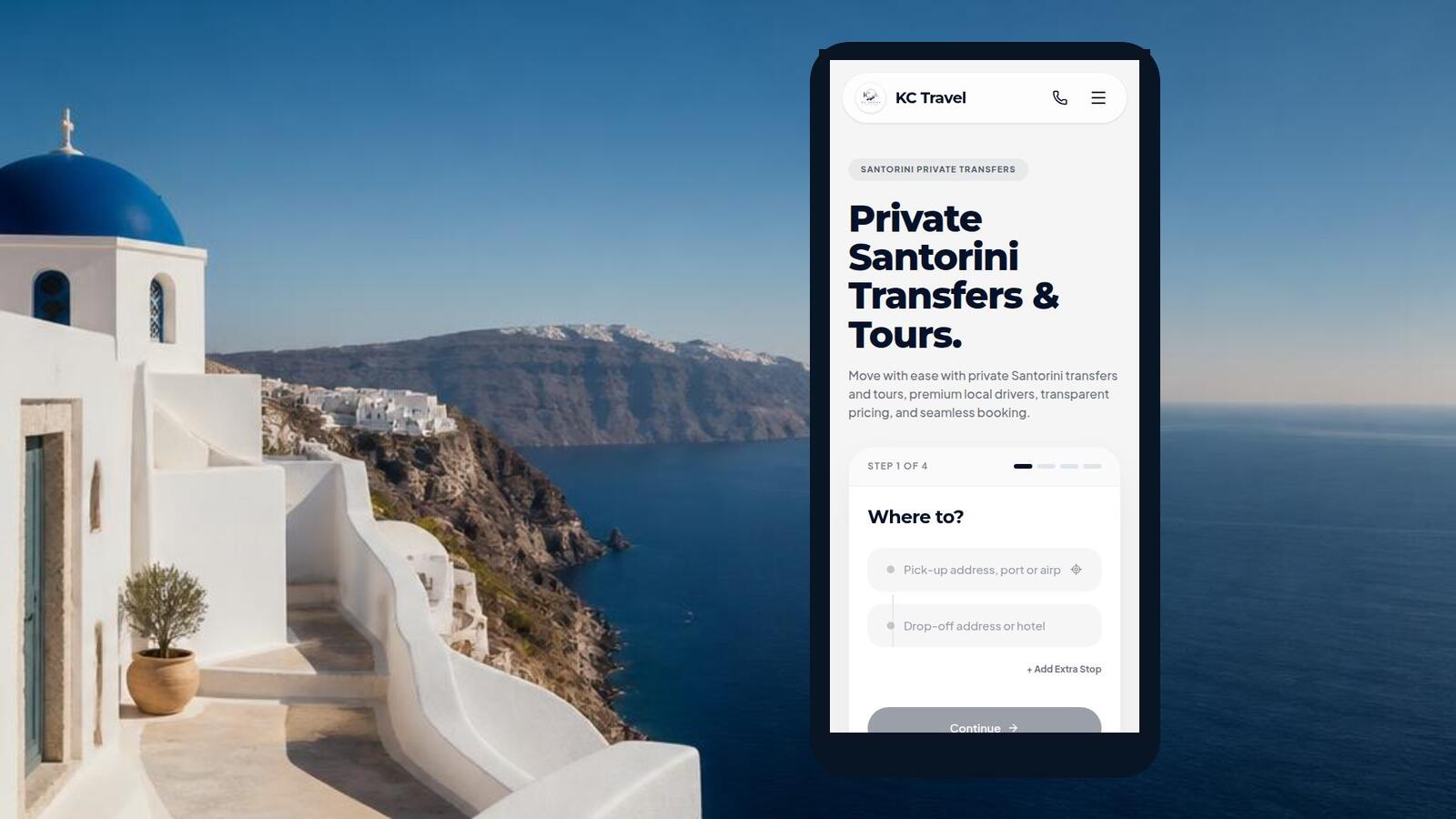
Want to know what your Santorini transfer will cost before you book? Use the KC Travel booking form to enter your real route, see the available vehicles and review the current total before submitting the booking details.
How to Get Your Santorini Transfer Quote
The price check happens inside the existing KC Travel booking flow. You do not need to enter contact details just to reach the vehicle prices. Start with the route, then add the schedule and passenger requirements.
- Enter the route. In Where to?, enter a Pick-up address, port or airport and a Drop-off address or hotel. Select the suggested locations so the route can be verified. You can add up to three extra stops if your journey needs them.
- Add the trip details. In When & Who?, choose the outbound date and time, passenger count, luggage and child seats. You can also add an optional flight number or ferry vessel. To price a return, choose Add Return Trip and add the second route and schedule.
- Request the route quote. Select See Vehicles & Prices. KC Travel requests the route, calculates the driving distance and shows the available vehicle options.
- Choose a vehicle and review the total. The vehicle step shows the route distance, approximate route duration, fare breakdown and total. Only then do you continue to the booking details.
How Your Transfer Price Is Calculated
KC Travel uses the driving route returned for the selected locations. The server keeps the calculation authoritative, so the amount is not based on a client-entered total or a straight-line distance between two map points.
What the current quote engine uses
- €36 standard base fare through the first 6 km.
- €3 for each started 2 km after the included distance.
- A fixed €2 supplement for the Premium vehicle variant.
- Two separately labelled road-distance legs for a return trip.
- Vehicle capacity checks for passenger and luggage requirements.
- No separate tax or surcharge is added by the current pricing engine.
Additional stops can change the driving route, while the selected vehicle affects the available option and any Premium supplement. A return journey is not treated as a single one-way route: the quote includes the outbound and return legs. If an eligible promotional code is entered at checkout, the applicable discount is shown separately before you submit the booking.
The displayed amount is the current server-calculated quote for the route, schedule and vehicle selected. It is shown before the final booking submission, but availability and the submitted details are still checked by the server when you continue.
Check Airport, Port and Local Transfer Prices
You can use the same flow for the routes visitors most often need on Santorini. Select the real locations rather than relying on a generic island-wide estimate.
- Santorini Airport (JTR) to a hotel: enter the airport as pick-up and the hotel or accommodation as drop-off.
- Athinios Port to accommodation: use Athinios as pick-up and select the destination property or its verified location.
- Accommodation to the airport or port: reverse the route and add the flight or ferry information when useful.
- Between two points on the island: enter the exact starting point and destination for a local private transfer.
Review Your Total Before Booking
Before moving from the vehicle step to the booking details, check the route shown on the map, the displayed distance and duration, the vehicle you selected and the total. For a return transfer, review both legs and their dates and times.
The final booking step asks for the traveller's name, email, phone number and any optional WhatsApp, notes, flight or ferry details. It also contains the available payment methods and any optional discount-code field. These details are needed to submit a booking; they are not required to see the route quote.
From Quote to Booking
Once you have reviewed a vehicle and price, continue to the final booking step only if the route and schedule are correct. Complete the customer and trip information, choose an available payment method, and submit the existing booking form. The server recalculates the price and validates the route instead of trusting a value supplied by the browser.
Seeing a quote is therefore different from receiving a confirmed booking. The quote answers “what does this selected route and vehicle currently cost?”; the submitted booking still has to pass the server's route, availability and booking checks.
Ready to check your route?
Use the current KC Travel booking flow for your own pickup and destination.
A Practical Quote Checklist
- Pick-up and drop-off are the exact locations you intend to use.
- The date and time match the flight, ferry or hotel plan.
- Passenger count, luggage and child seats are correct.
- Every return leg has its own route, date and time.
- The selected vehicle can accommodate the group and luggage.
- The displayed route distance, breakdown and total are understood.
Book Your Santorini Transfer
Your driver, your route, and a smooth arrival from the airport or port to your hotel.
Check Availability →Plan the transfer for your trip
This guide covers your travel options. For pickup details and booking, choose the relevant service:
Santorini Transfer Quote FAQ
How can I check my Santorini transfer price?
Open the KC Travel booking form, enter your pick-up address, port or airport and your drop-off address or hotel, then continue through the trip details. After the route is calculated, the available vehicles and their prices are shown before you enter your contact and payment details.
Is the price based on road distance?
Yes. The server calculates the route using driving distance rather than a straight-line map distance. The current fare uses a €36 standard base through the first 6 km, then adds €3 for each started 2 km; a Premium vehicle has a fixed €2 supplement.
Can I see the total before confirming?
Yes. The vehicle step shows the route distance, available vehicles, fare breakdown and total before the booking details are submitted. The quote is for the route and vehicle you selected; the booking is only confirmed after the server validates the submitted details and availability.
Can I check a return transfer price?
Yes. Choose Add Return Trip in the When & Who? step, add the return route and schedule, and continue to the vehicle step. A return quote contains two road-distance legs, outbound and return, so the total reflects both routes.
What should I do if my pickup location is not listed?
Try the full address, hotel, port or airport name and select a verified result from the suggestions. If the location still cannot be selected, do not force an unverified pin; use the existing KC Travel contact options to ask the team to review the route.